Missing feature - Finding conflicts
April 19, 2020
(This is part of a series of posts about missing features in calendaring.
For more context, see calendaring - the missing features.)
Calendaring is missing an easy way to find conflicts for new and pre-existing events.
Conflicts are not a first-class concept in current calendaring solutions. To me, conflicts are very important --- an event represents a real-world obligation on a schedule. If you have a conflict, then you cannot fulfill all of the obligations and need to communicate that.
In current calendaring solutions, it is possible to see conflicts when entering a single event (depending on the entry mode, it is more clear). However, there is no easy way to see scheduling conflicts for all events in a schedule or of your entire calendar.
Conflicts entering a single event
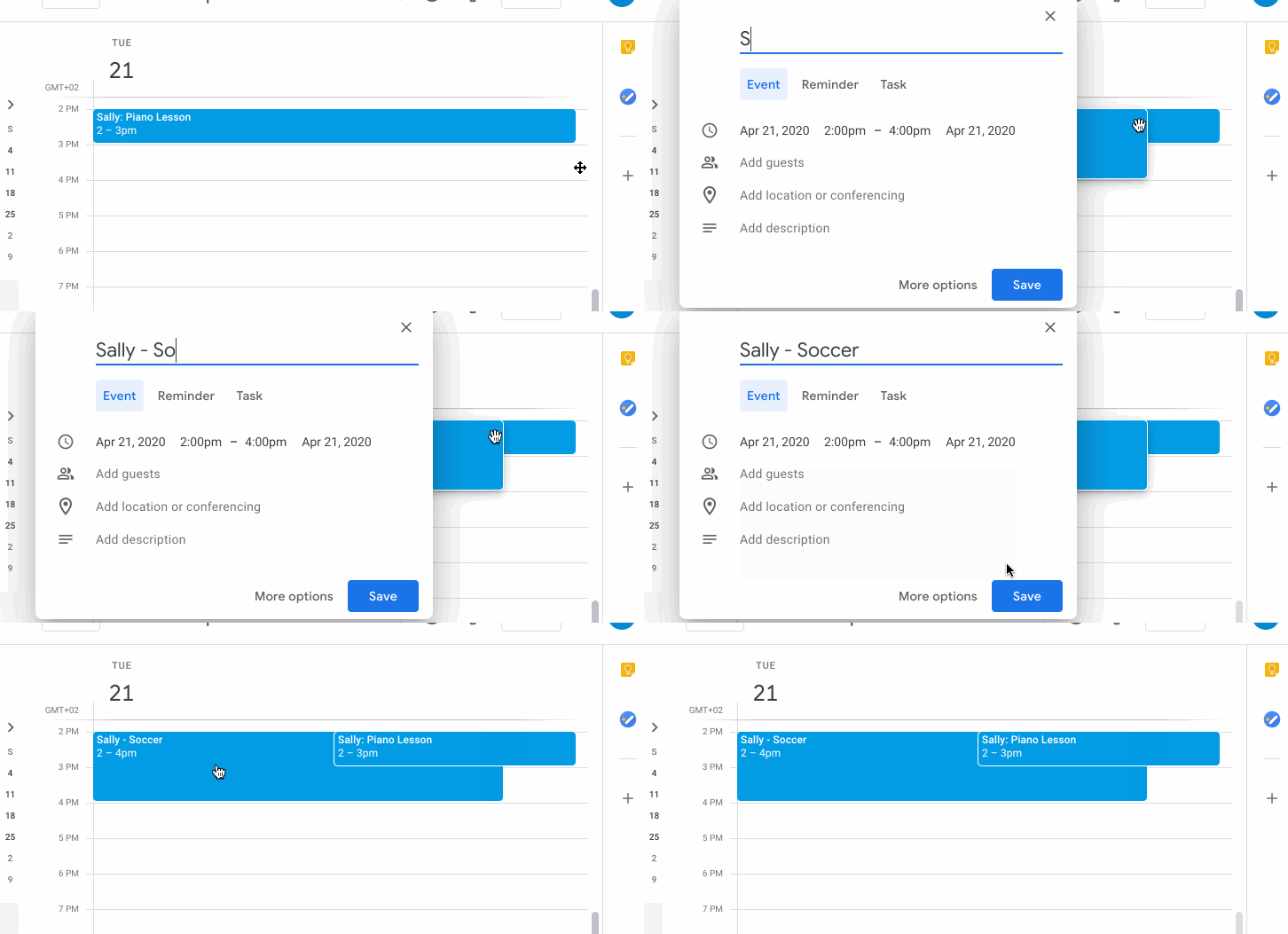
Entering a single event in the Google calendar view allows seeing conflicts immediately:
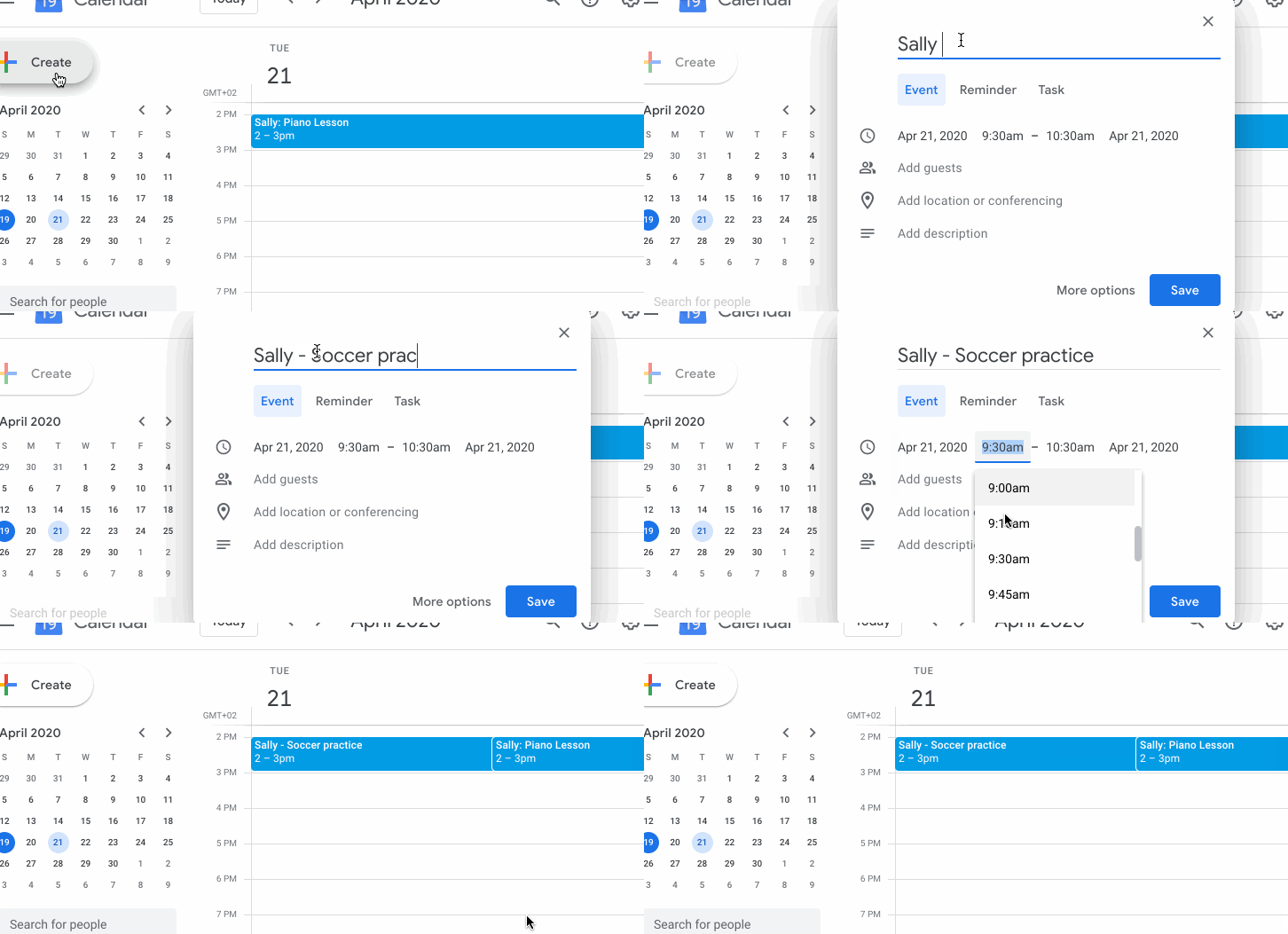
Using the “Create” button does not allow viewing of conflicts:
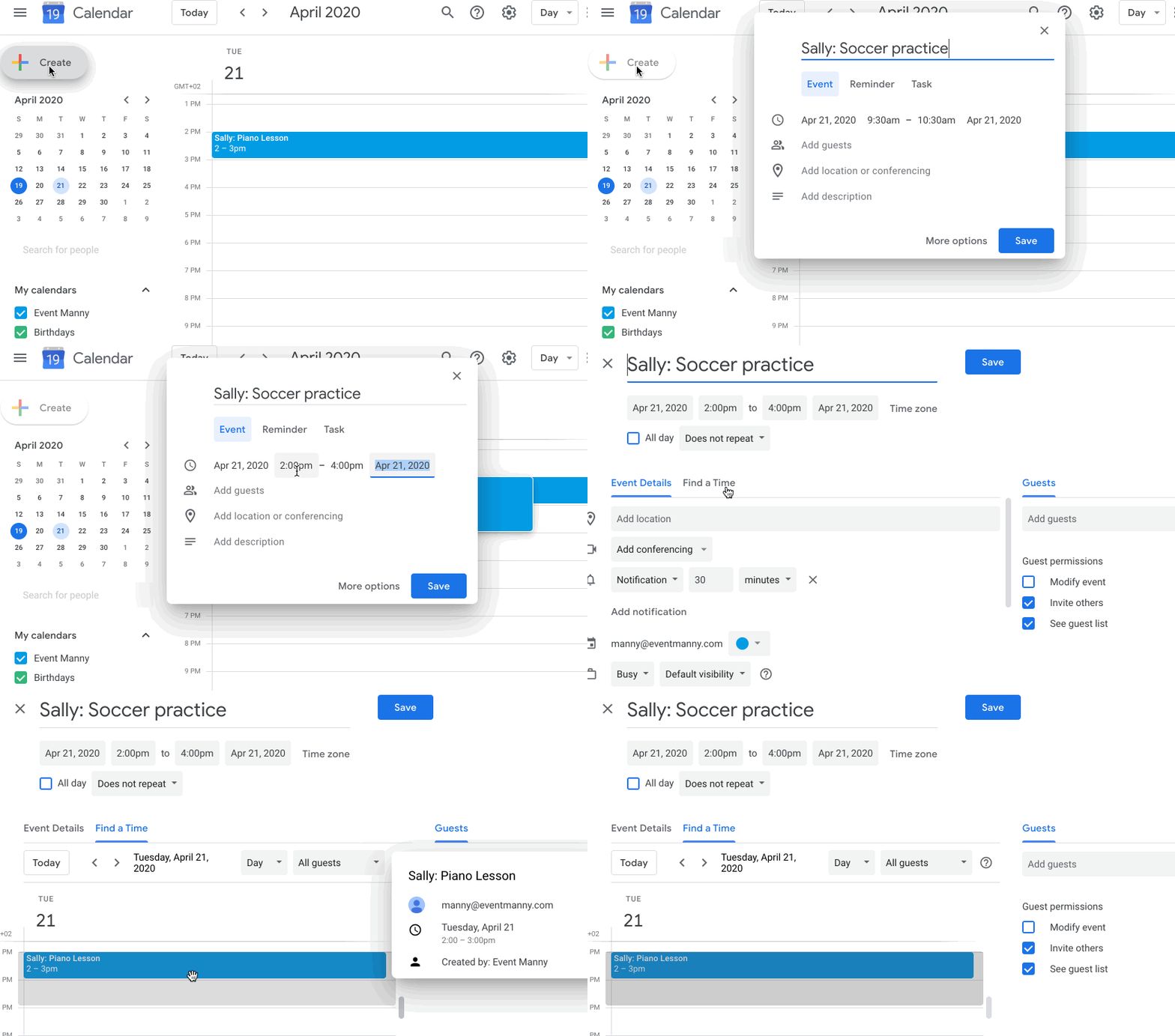
Choosing “More options” and selecting the “Find a time” pane allows seeing conflicts:
Conflicts entering multiple events
In Google calendar and other calendaring solutions, this requires navigating to each date in order to see conflicts for each new event.
How I want to solve this
Conflicts should be a first-class concept in calendaring. You should be
able to find conflicts between any set of events and any other set of
events. See use cases for a new schedule and
an updated schedule.
Mock-ups (or implementations) to come.
(Part of a series on calendaring - the missing features.)