Missing feature - Grouping events
April 14, 2020
(This is part of a series of posts about missing features in calendaring.
For more context, see calendaring - the missing features.)
Calendaring is missing an easy way to group events together into schedules, view those events and manipulate them together.
In my mind, a calendar is not simply a set of events. It is a set of sets of events. It is not just a grab bag of events all mixed together, each event is a representation of a real-world obligation attached to an activity that you do. Each real world activity (e.g. a sport team, piano lessons, dance) has a set of events, which I will call a schedule.
There is no easy way to represent and manipulate a schedule in calendaring applications.
Google calendar
In Google Calendar, you can partially work around this by ensuring each event has a consistent tag you can search for, for example, “Piano”:
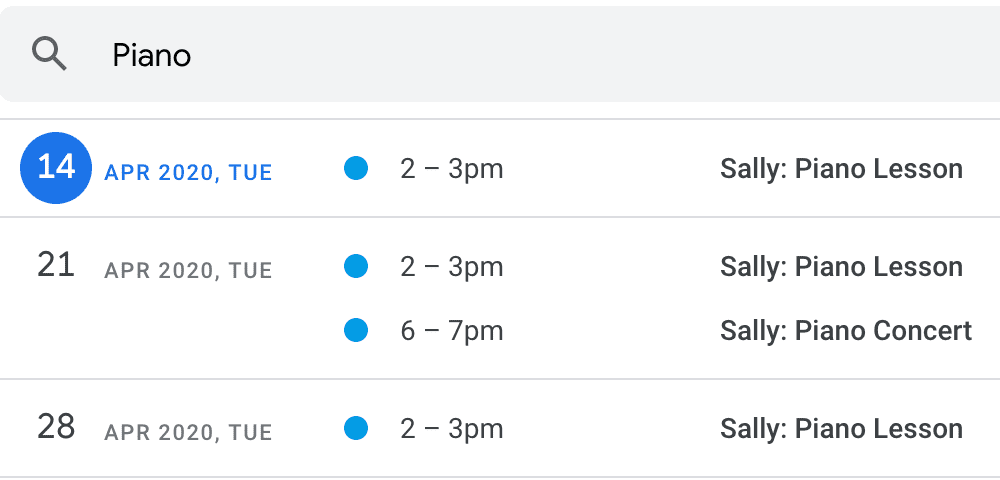
But look at how hard it is to make a change to a single event in this group:
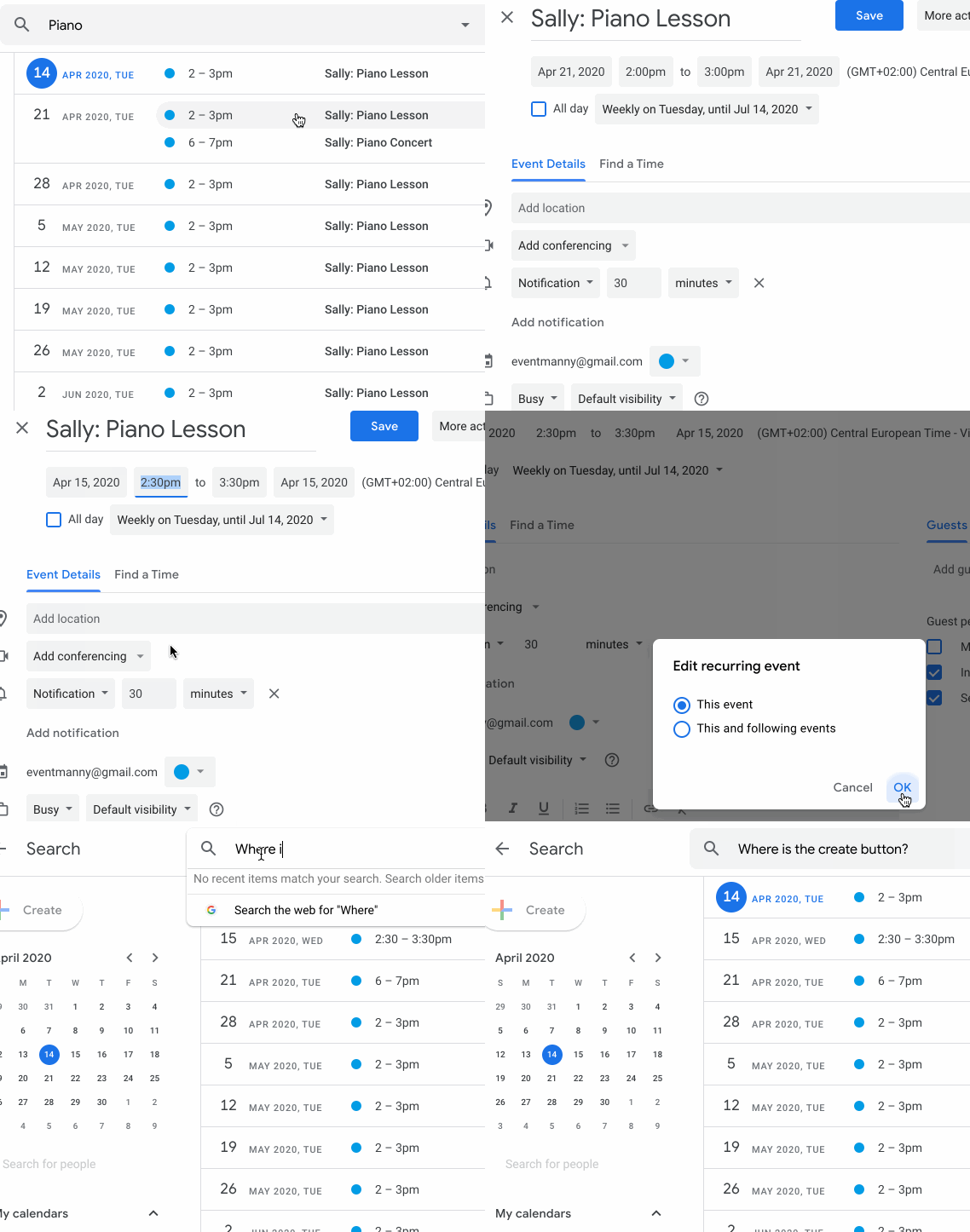
While viewing a search result, you cannot add a new event!
Cozi calendar
The Cozi calendar application does a better job at this, allowing:
- Viewing all events in a schedule together (including recurring events, exceptions and one-off events)
- Adding an event on your calendar to a schedule
- Assigning people to a schedule (or individual events)
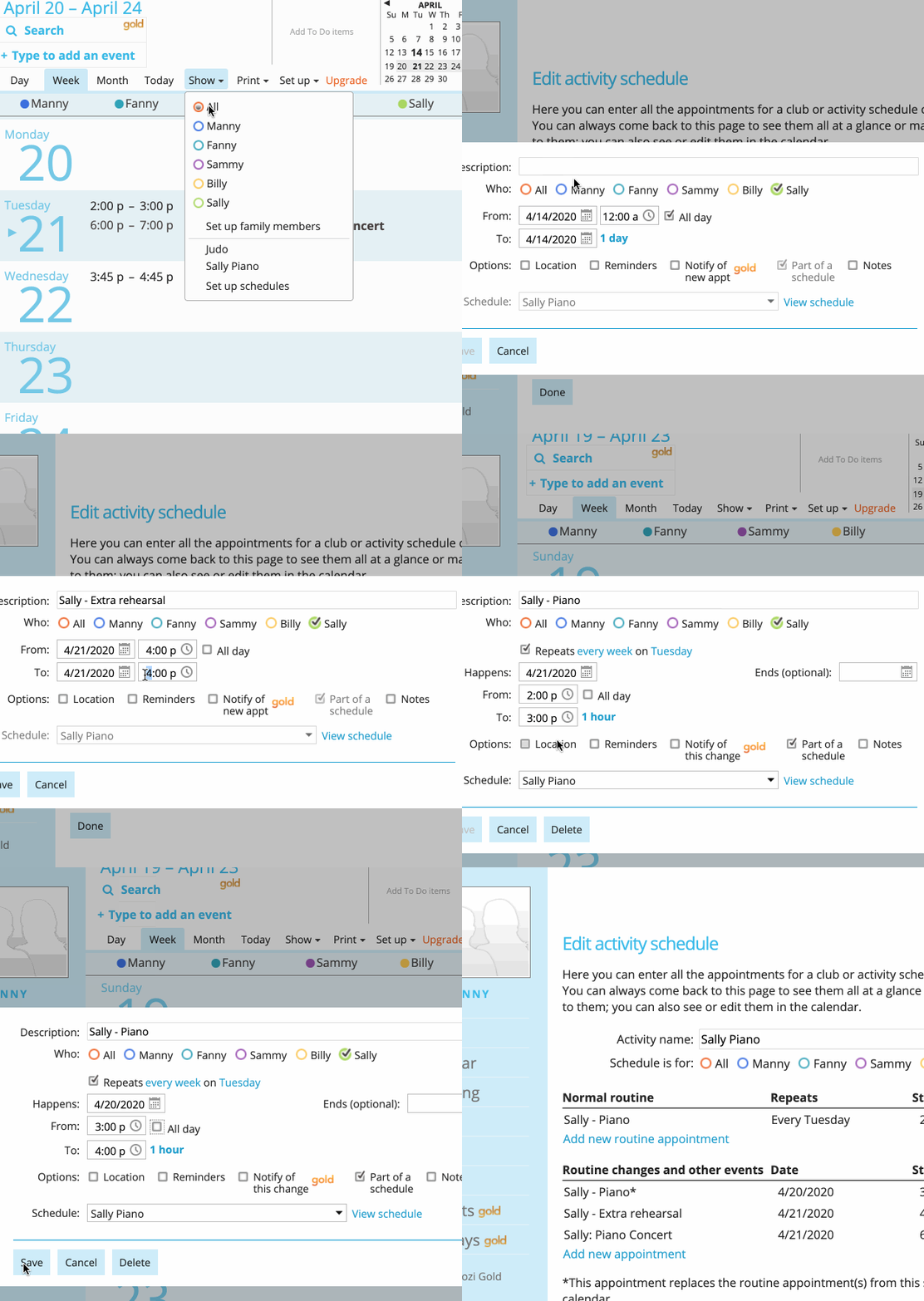
However, adding exceptions can only be done on the main calendar page, not directly in the schedule page. Changing the datetime of an event is a multiple step process (open event, select time field, change time, save). Deleting is similar. If you need to change or delete multiple events at once, these manual steps become tedious.
How I want to solve this
See use cases for a new schedule and
an updated schedule.
Mock-ups (or implementations) to come.
(Part of a series on calendaring - the missing features.)